Browse
A data grid that keeps up with real databases.
Sort, filter per column, search values, and page through six-figure row counts without the spinner. NULLs, BLOBs, images, JSON, and dates all render like they mean something.

For app databases, SwiftData stores, exports, and every stray .sqlite on your disk
Porcupine is a native Mac app for SQLite: open a database and it just appears — tables, rows, schema, and relationships. Browse, query, and explore for free.
Free tools freeze on big databases. Paid tools treat SQLite as an afterthought. Porcupine does neither.
Every database opens read-only until you say otherwise. Your production data stays exactly as you found it.
Native macOS, built for SQLite alone — not a cross-platform shell around six other engines.
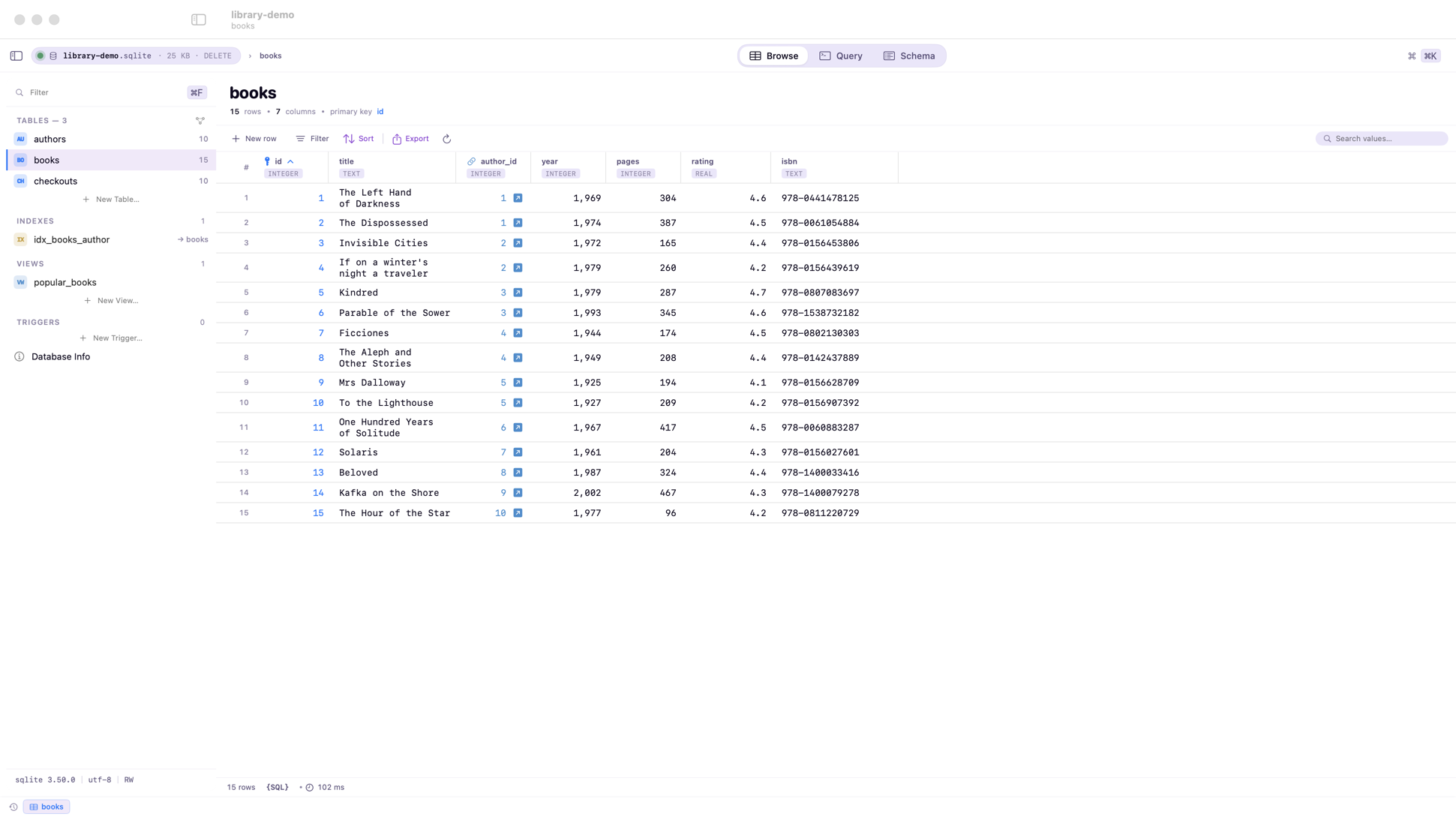
Tables, row counts, filters, and inline editing in a fast native grid — with foreign keys colored so joins are obvious.
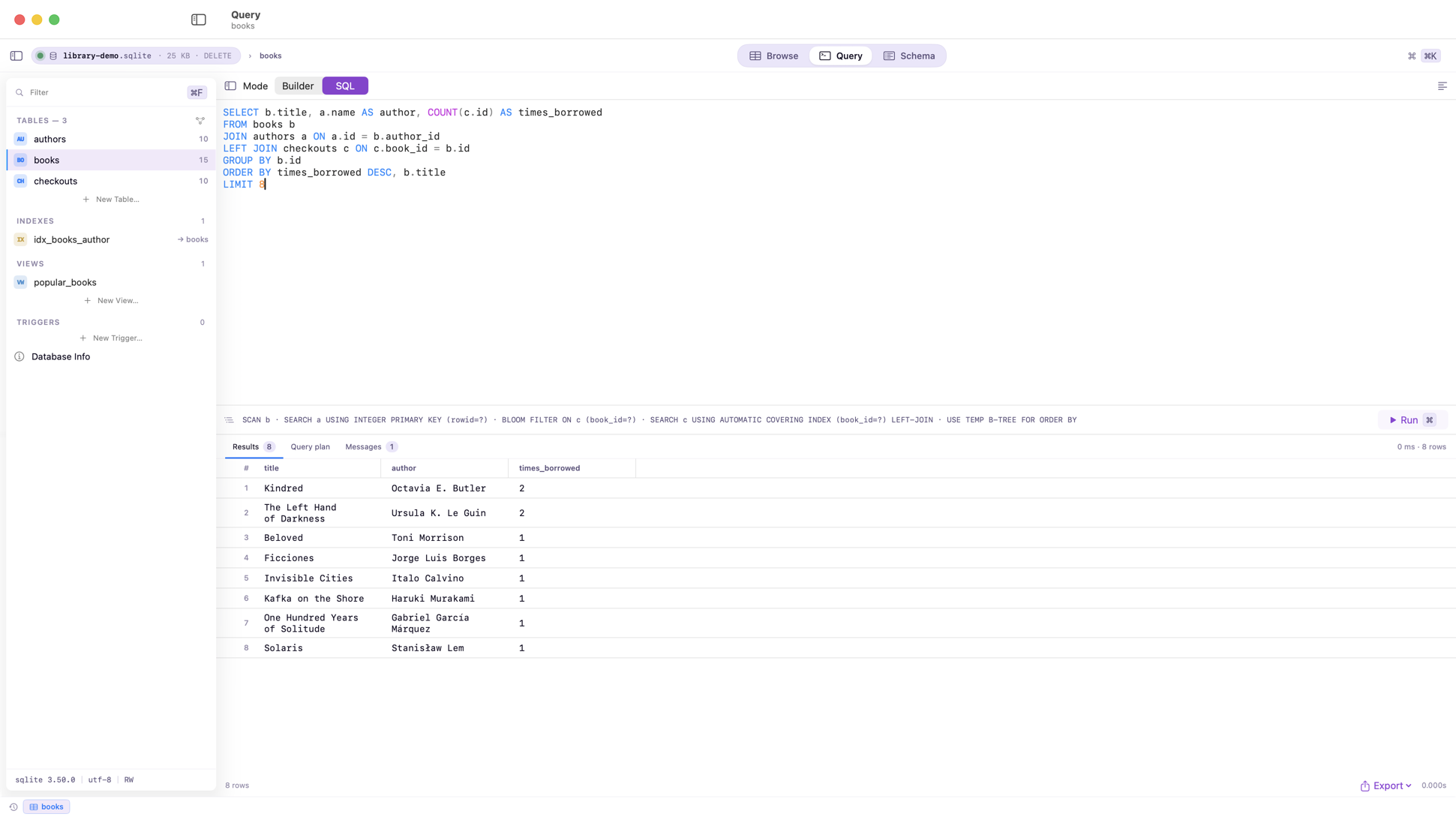
Autocomplete for tables and columns, live results as you type, inline EXPLAIN, and a query history that survives relaunch.
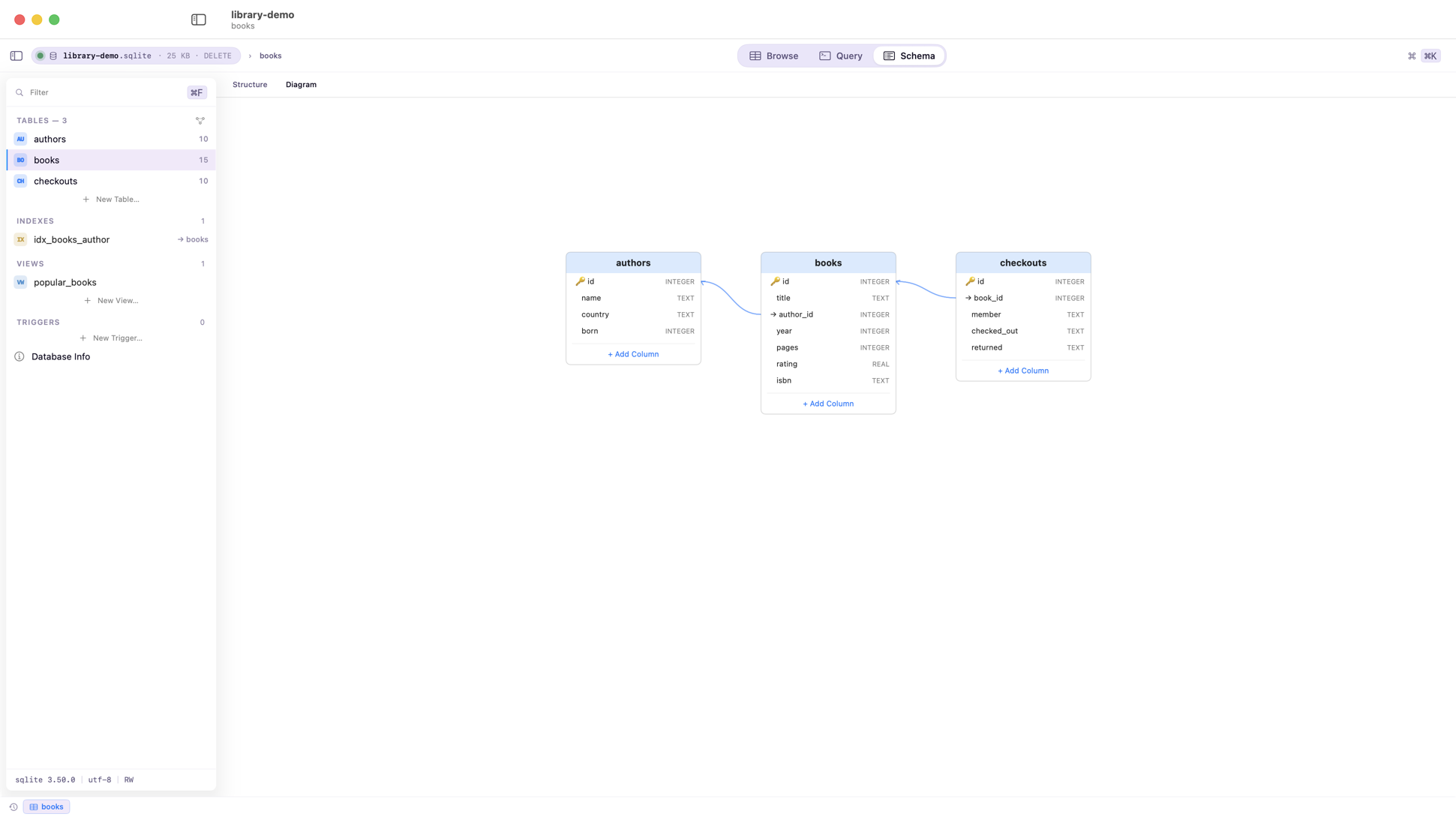
An interactive ER diagram, table definitions, indexes, triggers, and safe ALTER TABLE — even the twelve-step kind.
What Porcupine actually does
Browse
Sort, filter per column, search values, and page through six-figure row counts without the spinner. NULLs, BLOBs, images, JSON, and dates all render like they mean something.
Query
Schema-aware autocomplete, syntax highlighting, run-selection, live results, inline EXPLAIN QUERY PLAN, formatting, and saved queries — in a real text editor, not a toy.
Schema
Create and alter tables, indexes, views, and triggers. Porcupine handles SQLite's recreate-and-copy ALTER dance for you, inside a transaction, every time.
ER Diagram
An interactive entity-relationship diagram with automatic layout. Drag tables around, follow foreign keys, and jump straight to the data behind any box.
Import & Export
Turn a folder of CSVs into a database in one step. Import JSON as tables, run SQL scripts, and export CSV, JSON, SQL dumps, or schema-only — whatever the next tool expects.
Live Updates
Porcupine monitors the file and its WAL. See changed tables flagged as they happen, or turn on auto-refresh and watch rows appear while your app runs.
Safety
Databases open locked by default. Edits wrap in transactions you commit explicitly, destructive SQL asks first, and optional snapshots keep the last fifty versions of the file.
Quick Look
Porcupine ships Quick Look and thumbnail extensions, so tapping
space on any .sqlite file shows you its tables before
you've opened a single window.
Pricing
Porcupine is a genuinely useful free app: open any database, browse every table, run any query, export what you find. When you need to change the data — cells, rows, schema, imports — Porcupine Pro unlocks all of it with a single one-time purchase. No subscription, no accounts, and future editing features land in Pro automatically.